 Productivity
Education Space
Track Your Academic Journey
Education Space helps students manage courses, assignments, grades, and study sessions. Track your academic progress, set study goals, and stay organized throughout the school year without relying on institutional portals.
Free. Private. Offline-first.

Why choose Education Space?
Everything you need, nothing you don't.
Course Tracking
Organize all your classes with schedules, instructors, and course materials
Assignment Management
Track homework, projects, and exams with due dates and priorities
Grade Tracking
Log grades and calculate GPAs to monitor your academic progress

Course & Class Management
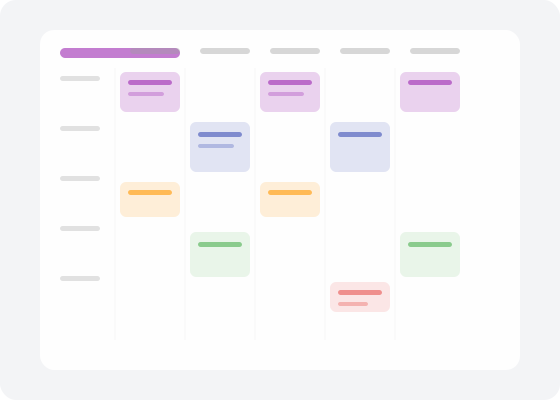
Add courses with class schedules, instructor contact info, and syllabi. Track attendance, note class locations, manage office hours, and store teacher/tutor contacts.

Assignment & Exam Tracking
Track homework, projects, and exams with due dates and priorities. View your exam schedule calendar, set reminders, and never miss a deadline.
Grades & Study Sessions
Log grades and calculate GPA automatically. Use the built-in Pomodoro study timer to focus. Set academic goals and view progress reports and analytics over time.
How it works
Get started in minutes.
Add Your Courses
Input class schedules, instructor details, and grading criteria for each course.
Track Assignments
Log homework, essays, and exams as they're assigned. Set reminders for due dates.
Monitor Progress
Enter grades as you receive them. See your GPA and identify areas for improvement.
Works great with
Part of the Family Life Space ecosystem.
Frequently asked questions
Is Education Space really free?
Yes, completely free with no ads, no premium tier, and no hidden costs. Your academic data stays private on your device.
Does it calculate GPA automatically?
Yes. Enter your grades and Education Space calculates your GPA using standard scales. Track progress across semesters.
Does it have a study timer?
Yes. The built-in Pomodoro study timer helps you focus in structured sessions. Track total study time per subject.
Can I track assignments from multiple classes?
Absolutely. Add unlimited courses and assignments. View everything in a unified calendar sorted by due date and priority.
Does it work offline?
Yes. Education Space is designed offline-first. Access your schedule, assignments, and grades anywhere without internet.