 Productivity
Notes Space
Capture Your Thoughts
A powerful note-taking app for everything from quick thoughts to detailed documentation. Write in Markdown, organize with notebooks and tags, track version history, and encrypt sensitive notes. Your thoughts, beautifully organized.
Free. Private. Offline-first.

Why choose Notes Space?
Everything you need, nothing you don't.
Markdown Power
Write with full Markdown support. Format text, create lists, add code blocks, and include images effortlessly.
Smart Organization
Organize notes into notebooks. Tag for easy searching. Find anything instantly with powerful search.
Encrypted Notes
Protect sensitive information with encrypted notes. Your private thoughts stay truly private.

Full Markdown with Live Preview
Write with full Markdown support including tables, code blocks, checklists, and rich formatting. Live preview shows formatted text as you type.
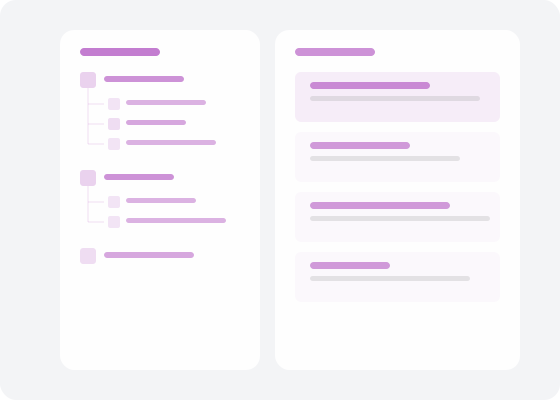
Hierarchical Notebooks & Tags
Organize notes in hierarchical notebooks. Add multiple tags for flexible categorization. Full-text search finds anything instantly across all your notes.

E2E Encryption & Version History
Encrypt sensitive notes with end-to-end encryption. Every change is saved with version history so you can restore previous versions. Attach images and PDFs.

Export Anywhere
Export notes to Markdown, PDF, or HTML formats. Your content is always portable and never locked in.
How it works
Get started in minutes.
Create Notes
Write notes in Markdown with formatting, lists, code blocks, and images. Save automatically as you type.
Organize Everything
Group notes into notebooks. Add tags for flexible categorization. Use folders for projects or topics.
Find & Secure
Search across all notes instantly. Encrypt sensitive notes with a password. Access version history anytime.
Works great with
Part of the Family Life Space ecosystem.

Frequently asked questions
Does it support Markdown?
Yes. Full Markdown support with live preview, including tables, code blocks, checklists, and rich formatting.
Can I encrypt individual notes?
Yes. Enable end-to-end encryption on any note to protect sensitive information. Only you can decrypt them with your password.
What export formats are available?
Export notes to Markdown, PDF, or HTML. Your content is always portable and never locked into a proprietary format.
Does it have version history?
Yes. Every change is saved automatically. View the full version history and restore any previous version with one click.
Does it work offline?
Absolutely. Notes Space is designed offline-first. Write, organize, and search notes without internet. Changes sync when you reconnect.